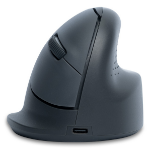
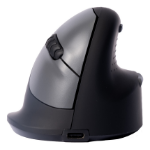
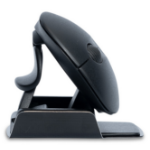
Advance 2.0 is our top seller and with 6 programmable keys, it offers you a range of options to customise your Mousetrapper exactly the way you want it. Mousetrapper Advance 2.0 is an ergonomic mouse alternative that prevents repetitive strain injury and other problems that may arise when working with a traditional mouse. A total of six programmable buttons give you plenty of options for setting up your Mousetrapper exactly the way you want. Download our app, which lets you easily reconfigure all the button functions, create user profiles and much more.
Advance 2.0 has a foldable keyboard pad, allowing you to adjust the height to your keyboard. Our Type keyboard is designed to fit perfectly with all Mousetrapper devices.
6 buttons Programmable buttons for customization to your needs with our app.
Adjustable Adapt Advance 2.0 to your needs. With a folding non-slip surface that makes it easy to find the right height and replaceable wrist supports.
2000 Allows precise and effective work with a DPI of 2000. Change the sensitivity and speed with MT Keys.
Why use a centrally positioned mouse? A centered position for your hands is essential to prevent RSI. Overstretching the arm to reach for the mouse beyond the keyboard is a common trap. By using an ergonomic mouse like Mousetrapper you get an ergonomically healthy position that keeps your arms and hands relaxed. It has been found that a centered mouse, often after only a couple of weeks, provides a noticeable improvement.
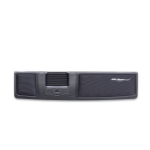
Mousetrapper Control Pad The Mousetrapper Control Pad is not a touch pad, it’s a mechanical control pad with a very unique tactile feeling. By placing your index, middle and ring fingers on the control pad you can control the cursor with simple movements as the control pad moves smoothly in two dimensions. It is easy to use and gives the user maximum flexibility with the option of clicking directly on the Control Pad.
Windows 10, Windows 10 Education, Windows 10 Education x64, Windows 10 Enterprise, Windows 10 Enterprise x64, Windows 10 Home, Windows 10 Home x64, Windows 10 IOT Core, Windows 10 IoT Enterprise, Windows 10 Pro, Windows 10 Pro x64, Windows 10 x64, Windows 11, Windows 11 x64
Mac operating systems supported
Mac OS X 10.15 Catalina, Mac OS X 10.15.3 Catalina, Mac OS X 11.0 Big Sur, Mac OS X 12.0 Monterey
System requirements
Windows operating systems supported
Windows 10, Windows 10 Education, Windows 10 Education x64, Windows 10 Enterprise, Windows 10 Enterprise x64, Windows 10 Home, Windows 10 Home x64, Windows 10 IOT Core, Windows 10 IoT Enterprise, Windows 10 Pro, Windows 10 Pro x64, Windows 10 x64, Windows 11, Windows 11 x64
Mac operating systems supported
Mac OS X 10.15 Catalina, Mac OS X 10.15.3 Catalina, Mac OS X 11.0 Big Sur, Mac OS X 12.0 Monterey