

















In stock
£1,894.08
£1,578.40
Overview
KVM over IP Matrix Manager
- Management
- Centralized CCKM, allowing you to configure, administer, control, and maintain all KVM over IP extenders via an intuitive web based GUI
- KE Link App – allows customers with licenses to remotely manage KVM over IP extenders on the CCKM with an iPad from anywhere
- One-to-one, one-to-many, many-to-one and many-to-many Tx / Rx connections
- Profiles save and reserve unlimited TX to RX device connections
- Channel connections allow RX devices to connect to multiple TX devices – to stream video, audio, USB and serial sources independently
- Configurable user and group permissions for access and control of KVM over IP extenders
- Administrators can set access modes on TX devices for collaboration or to avoid interference among users
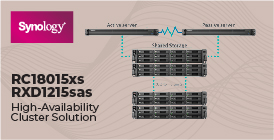
- Primary-Secondary Infrastructure – offers centralized management failover with up to 5 secondary servers, for redundancy, and real-time database synchronization
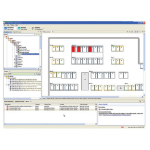
- Administrators can easily view KVM over IP extenders status and the latest system events in the GUI dashboard
- Connection Redundancy – automatically connects to another transmitter (Tx) after disconnection with the original Tx, ensuring constant access to servers
- Authentication Lock – allows automatic logins upon system resume after temporary power down or network disconnection
- Flexible and Efficient Operations
- Exceptional Video Wall Scalability – able to create multiple video wall layouts with up to 144 video displays (12 x 12)
- Advanced Scheduling – improves efficiency and saves costs by allowing media playback to be set based on time and date
- Video grouping of up to 4 sets of KVM over IP extenders to support Multi-Display applications
- Fast switching feature for switching transmitter/receiver connections in under a second
- SNMP Agent / SNMP Trap – automatically sends out SNMP Trap notifications upon specified events, and GET/SET specific configurations from the SNMP manager according to predefined OIDs within the stored MIB file
- Easy-to-Use Interface
- Browser-based GUI offers a multi-language interface to minimize user training time and increase productivity
- Multi-browser support: Internet Explorer, Chrome, Firefox, Safari, and Opera
- Filter and export function for system event logs
- Email notification of specified system event logs
- Multi-platform installation support: Windows, Linux
- Multi-platform client support: Windows, Mac, Linux, and Sun
- Advanced Security
- User account authentication and management
- CCKM supports both internal and external authentication – external authentication supports LDAP, Active Directory, RADIUS and TACACS+
- Data transmission is secured by AES encryption