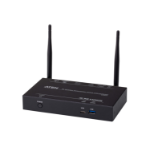
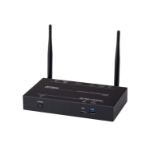
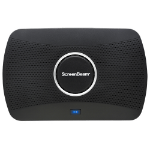
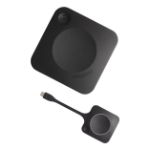
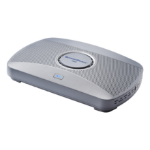
Miracast, Airplay, Google Cast, 802.11ac, 1000Base-T RJ-45 LAN, 4K30
Interactive flat panel support. Windows 11 users can markup content directly on room displays, instantly capturing changes in Microsoft Office 365 applications
Extended desktop. Windows and macOS users can wirelessly extend screens to ensure content privacy
Multi-View. Up to four presenter devices can share content on-screen simultaneously, making editing materials in real time easier
Easy guest connections. Unique multi-network architecture ensures employees and guests connect using MiracastTM, local Wi-Fi mode, or network, providing flexibility for different network policies and deployment needs
Quick Switch Mode. Switch between presenters without manually disconnecting a presenter
Local Wi-Fi, Bridge Mode. Securely leverage wired or wireless network connectivity, avoiding complex network configurations
Digital Signage. Idle displays in classrooms and meeting spaces can be optimized to convey information with integrated HTML-based digital signage capability
Alerts. A powerful tool to enhance your existing Emergency Response Programs, Alerts instantly transmits notifications to any room with a ScreenBeam-enabled display
Centralized Management and Security. Central Management System – Enterprise (CMS-E) large-scale device deployment and management included free. Alternatively, a web browser can manage the FLEX receiver locally through a Local Management Interface (LMI)
ScreenBeam FLEX delivers 4K wireless presentation, multi-user display, touch/inking support, and digital signage—empowering SMBs and higher ed to affordably turn any space into a secure, dynamic collaboration hub.
App-less and dongle-less screen mirroring Screen sharing from any device without the need to download an app or keep dongle nearby. ScreenBeam leads with OS-native Wi-Fi Miracast, AirPlay and Google Cast for familiarity and mitigate user training.
Extended desktop Windows and macOS users can mirror desktop or extend screen to ensure content privacy.
Touch display support Windows users can markup content directly on room displays, instantly capturing changes in Microsoft Office 365 applications.
Multi-Network architecture No need to choose an internal or external network connection for your wireless display solution. ScreenBeam can connect to both simultaneously, without compromising the security of your internal network.
Multi-View Up to four presenters in-room can share content simultaneously during a meeting making it easier for real-time editing of materials.
Quick Switch Presenters do not need to disconnect to allow the next presenter to assume control eliminating time-wasting delays and keeping meetings on track.
Signage Player Idle displays in classrooms and meeting spaces can be optimized to convey information with integrated HTML-based digital signage capability.
HDMI Input Combines wireless display and HDMI® switching in a single device for a fully functional for wired and wireless connections.
Centralized Management ScreenBeam CMS Enterprise included for monitor, manage, and update.